
There is usually one moment when a subscription changes from convenient to unnecessary, and that’s when most people start searching for how to cancel Ryze Mushroom Coffee subscription. If that’s exactly why you are here, the official process is fairly straightforward once you are signed in to the correct account.
To cancel Ryze Mushroom Coffee subscription, you need to visit your Ryze account dashboard. Now open the subscription management section. Finally, click “Cancel” on your recurring subscription. Do it before your next scheduled renewal. There are more alternatives to this method. But before I walk you through the exact steps, I want you to first look at a few important points.
Things to Know Before Cancellation

Breaking off your relationship with a constant delivery service involves scrutinizing the small print details carefully. Keeping certain basic things in mind helps you avoid being hit by unexpected charges and facilitates closure of your account. Here’s what needs to be kept in mind:
- The 24-Hour Cutoff: Cancel at least 24 hours before your next scheduled billing date. Since Ryze sends a reminder email three days ahead, that helps you to decide whether you want to continue or not.
- Active Subscription Access: Canceling stops future recurring charges, but you retain full account access until your current paid cycle officially ends.
- Default 30-Day Subscription Billing Frequency: You are automatically billed every 30 days. Your credit card or any alternate payment method you have selected is charged automatically on that cycle unless you adjust it first.
- Narrow Refund Window: Ryze’s money-back guarantee only applies to your first subscription order, within 30 days of delivery.
- Processed Shipments Stay Final: Halting your subscription does not automatically refund an order that has already shipped or entered fulfillment.
- Account Verification: Always ensure you use the exact email address or phone number tied to your original Ryze purchase when requesting changes.
Now that you understand the baseline rules, let’s know the primary avenues available to turn off your recurring deliveries without any hassle.
How to Cancel Ryze Mushroom Coffee Subscription?
If you are not comfortable with using the online dashboard or contacting a support agent, no need to worry. There are different methods to terminate your membership with Ryze. Just select the method that best suits you to complete the setup process for your account.
How to Cancel Ryze Mushroom Coffee Subscription Online via Account Portal?
It is the quickest and easiest way to control your Ryze Mushroom Coffee subscription. You can do this on their website portal. Here is how this method works:
Step 01: Log in to your account at the Ryze account portal.
Step 02: Go to Manage Subscriptions.
Step 03: Select Cancel, then confirm your request.
Step 04: Watch for an instant email confirmation, and save it just in case.
How to Cancel Ryze Mushroom Coffee Subscription via SMS Text Message?
If logging into the site seems tiresome, you can opt to text customer support. This provides a quick mobile way out for you. Text 617-221-3852 to request to cancel your subscription. Remember to attach either your ID/order number or the email attached to your account so they can easily trace it for you.
The system will either provide you with an automated response or respond through one of the customer support representatives during normal business days. Make sure that you monitor your texts to get your final confirmation of your cancellation of the recurring membership.
Additionally, retain your text message as a record. Mostly, customers receive the confirmation of their cancellations within a few hours; however, there have been occasions when it takes longer.
How to Cancel Ryze Mushroom Coffee Subscription via Insta/FB?
Ryze maintains active social media support. Send Ryze a direct message to @ryzesuperfoods on either Instagram or Facebook if you prefer social media over email or text. Keep it short and specific. Mention that you want to cancel your subscription and include your account email. So they can verify you quickly.
Also, include your full name, ID/order number, and account email when requesting account cancellation. A support representative will typically process your request within 12 to 24 hours.
How to Cancel Ryze Mushroom Coffee Subscription via Email Support?
Email works well if you want a written paper trail from the start. Compose a message from your registered email address to alex@ryzesuperfoods.com. Keep a clear subject line. You can copy-paste this: “Cancel My Subscription” or “Subscription Cancellation Request”. Be sure to include your ID, registered email ID, and full billing name in the body text. And, if you have it, include your order number as well.
Their customer team usually processes email requests within 24 hours and responds with an official confirmation receipt for your files. If you don’t hear back within a day or two, follow up by replying to the same email. Also send them a text on their number. You can DM them with a screenshot. And if you do all of them together, it usually speeds things along.
Ryze Refund Policy & 30-Day Money-Back Guarantee Explained
Ryze’s guarantee only applies to your very first subscription order, and only within 30 days of the delivery date. Opened bags are covered too, one per product type, and Ryze will send a prepaid return label to make sending it back simple.
The return policy on unused products offers a complete refund easily. However, the return policy will not include your subscription costs from the period used; hence, your subscription fee from the days unused will not be refunded once canceled during that period.
Why Cancellation Can Be Challenging?
The first issue most people have revolves around the matter of timing. Since Ryze automatically bills you every 30 days, missing the deadline means your card will be charged even before your cancellation request kicks in.
Other issues involve failing to recall how you made contact in previous cancellations. For example, if you had sent an SMS in the past but are now sending an email, yet there’s no correlation between your actions, then reviewing your account email should be enough.
Changes to your card might also create problems. When your card was recently changed, automatic systems may use your updated card number, so make sure that your cancellation has done its job.
Alternative Options
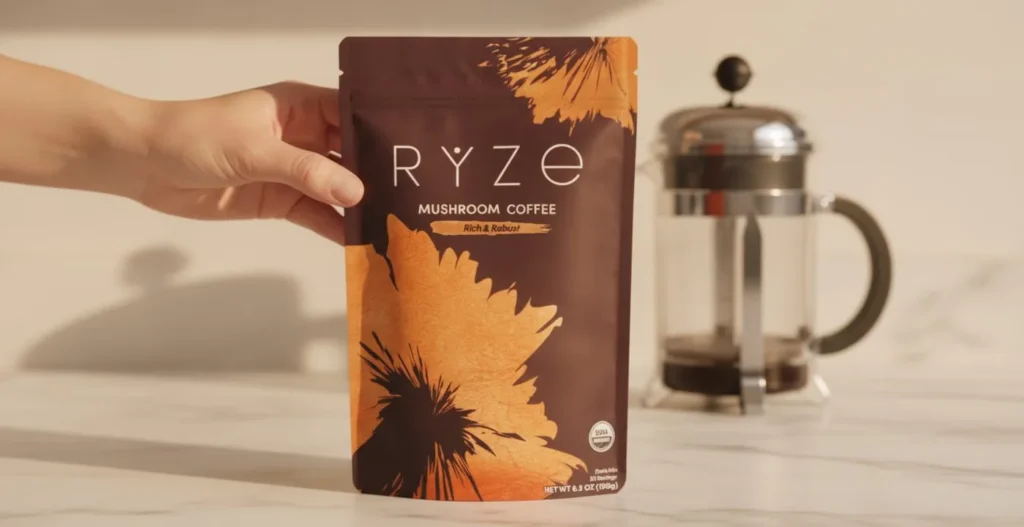
You may like the mushroom coffee but be unable to consume it quickly enough. There is no need for you to cut off all ties; you can just adjust your account with Ryze in order to change your subscription schedule.
- Pause Instead of Canceling: Ryze lets you pause your subscription for up to three months through your account, which keeps your existing discount intact for later.
- Modify Frequency: If you are just accumulating too much coffee, adjust your delivery schedule from every 30 days to 45 or 60 days directly in your account settings. You can also adjust it to 90-120 day frequency options, but for that you have to get connected with the Ryze customer service team.
What to Expect After Cancellation?
With your cancellation completed, any automatic billing process ceases. No more charges are expected to appear on your card in the future. It is advisable to keep an email notification that you will receive immediately after the cancellation.
Any order already processed before your cancellation was submitted will still ship as scheduled, so don’t be surprised if one more bag arrives even after you’ve canceled.
Your account itself usually stays active even without a subscription, meaning you can still log back in and resubscribe later if you change your mind.
Conclusion
That wraps up everything you need to cancel Ryze Mushroom Coffee subscription. It all depends on how you want to do it, whether you decide to use the account page, texting, social networking sites, or emails. Regardless of which of the methods you choose, the crucial thing here is that you make the request a day before your next billing date.
If you are on the fence rather than fully done, pausing or adjusting your delivery frequency might solve the problem without losing your subscriber pricing altogether.
FAQs
1- Will I get a confirmation that my cancellation actually went through?
Yes, most cancellation methods trigger an email confirmation, usually within minutes for the portal and a bit longer for text or social media requests.
2- Can I cancel if I already have a shipment on the way?
Yes. However, the particular shipment is bound to reach and incur charges, as cancellation will only halt future renewal and not orders already being processed.
3- Does canceling automatically delete my account?
No, your account will remain as it was even after canceling your subscription, and therefore you will always be able to log back in and subscribe again.
4- What if I never received a confirmation after submitting my cancellation?
First, check it in your spam folder. Then follow up through a different method, like texting if you originally emailed, since responses sometimes get delayed.
5- Can I return a bag I’ve already opened if I’m not on my first order?
No, returning the opened bag is limited to first-time orders of the subscription within 30 days. Later orders aren’t eligible even if unopened.
