
A free trial that quietly turns into a yearly charge is one of the most common reasons people search for how to cancel Total AdBlock subscription. The good news is that Total AdBlock is built for self-service cancellation, so in most cases you won’t need to wait on a support ticket to get it done. This article walks you through the ways and methods of cancellation. Stay tuned.
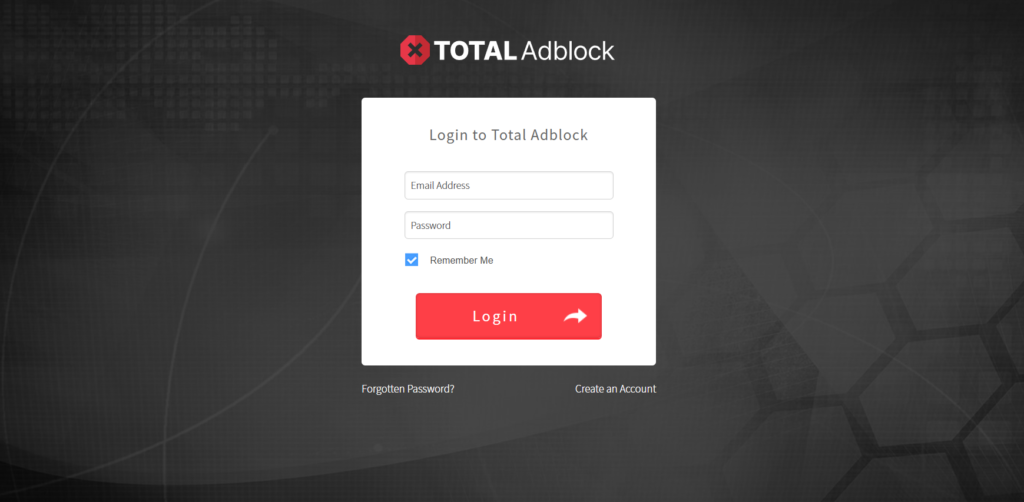
You can cancel your Total AdBlock subscription by logging in to your Online Portal and clicking on “My Subscriptions,” and then clicking on “Cancel Subscription” from the plan you wish to cancel. This only stops the subscription plan from auto-renewing. The user’s access to their premium features will continue until the end of the billing cycle they were billed for. If the user obtained the application from the Apple App Store or Google Play, cancellation would be through the respective portal.
Things to Know Before Cancellation
Just a bit of context before we begin will help you move through the process much more quickly and prevent misunderstandings. Here is everything you need to know.
- Canceling stops renewal, not access. Your premium features remain active through the end of your current billing period, and no further charges apply after that.
- A refund is a separate request. Turning off the auto-renewal option does not automatically trigger a refund. The only way to receive a refund is to cancel your plan; all access ends when your refund is issued.
- The refund window depends on the plan type. Annual and biannual subscriptions qualify within 30 days of the purchase or renewal date. Monthly, quarterly, or add-on services qualify within 14 days.
- Where you bought it decides how you cancel. Card and PayPal purchases are managed through Total AdBlock’s own portal. App Store and Google Play purchases must be canceled through those platforms instead.
- Identity verification is required. Website purchases require two-factor verification via email before any billing changes are processed, which helps protect your account from unauthorized changes.
How to Cancel Total AdBlock Subscription?
You can cancel your subscription via the online portal, Apple App Store, and Google Play Store. Here is how to cancel Total AdBlock subscription by following the methods below:
How to Cancel Total AdBlock Subscription via Online Portal?
If you paid by card or PayPal directly on the Total AdBlock website, this method applies to you.
Step 01: Log in to your Online Portal at Total AdBlock.
Step 02: From your dashboard, click My Subscriptions.
Step 03: Find the subscription you want to stop and click Cancel Subscription.
Step 04: Check your email for a verification code and enter it to confirm your identity.
Step 05: Confirm the cancellation. A confirmation notice should follow, worth saving for your records.
How to Cancel Total AdBlock Subscription via Apple App Store?
Subscriptions purchased through an iPhone or iPad follow Apple’s own cancellation process, since Total AdBlock has no control over App Store billing.
Step 01: Open the Settings app on your iOS device.
Step 02: Tap your name at the top of the screen, then select Subscriptions.
Step 03: Find Total AdBlock in your subscriptions list and tap it.
Step 04: Tap Cancel Subscription and confirm.
How to Cancel Total AdBlock Subscription via Google Play Store?
Android users who subscribe through Google Play follow a similar path via their Google account rather than Total AdBlock’s site.
Step 01: Open the Google Play Store app.
Step 02: Tap your profile icon in the top right corner, then select Payments & subscriptions.
Step 03: Tap Subscriptions and choose Total AdBlock from the list.
Step 04: Tap Cancel Subscription and follow the on-screen prompts to finish.
How to Request a Refund from Total AdBlock?
A refund is a different process from cancellation and can be claimed only within certain timelines, depending on your plan type. An annual or biannual plan can claim a refund within 30 days of purchase or renewal, while the rest can do so within 14 days.
Step 01: Log in to your account and verify your subscription information for eligibility.
Step 02: If eligible, contact the Total AdBlock support team and provide your account email address and invoice number.
Step 03: Wait for the team to review your request and confirm next steps.
Refunds are typically processed within 24 to 48 hours of approval, though some cases take up to 10 working days depending on your payment provider. Card and PayPal refunds are returned to the original payment method, while App Store purchases are refunded according to the App Store’s policy, not directly through Total AdBlock.
Why Cancellation Can Be Challenging?
The most common source of confusion is not knowing which platform originally processed the payment. A card purchase, an App Store purchase, and a Google Play purchase all route through completely different cancellation systems, so trying the wrong one wastes time without stopping anything.
Login problems provide another point of difficulty. Because the two-factor authentication code is sent to the email associated with the account, being unable to access that email will delay the process indefinitely until access is restored.
There is also confusion between canceling and getting a refund, a smaller but significant point of difficulty. Canceling auto-renewal will prevent further payments, but it will not refund any payments made in the past.
Alternative Options
If you do not wish to unsubscribe from your Total AdBlock subscription service, there are a number of options available to you in order for you to retain your membership while saving on costs:
- Go for an alternative lower-priced plan. If cost savings are your primary concern, find out whether switching to a lower-priced plan is a good choice.
- Wait until the end of your free trial period. If you are still in the midst of your 7-day trial period, you can cancel it at no charge before it expires.
- Review your renewal reminder email. Annual plans receive a reminder up to 30 days before renewal, giving a clear window to decide before any charge is processed.
What to Expect After Cancellation?
After cancellation, auto-renewal will be disabled. However, premium features will continue to work fully until the end of the billing period. There is no forced ending just because of the cancellation itself.
There will be no additional charges to your credit card or PayPal after the billing period ends. In the case of a refund, the refund process has its own time frame and will begin only upon approval of the refund request.
Removing the browser extension is another independent step. Subscription cancellation does not automatically remove the software from your computer. If you wish to remove it completely, you will need to do so yourself.
Conclusion
This is all there is to how to cancel Total AdBlock subscription. It depends on whether you signed up via the website, the Apple Store, or Google Play. The technique to use will be determined by where the original purchase was made, which will save you time. However, if getting a refund means more than just canceling future charges, note that this is different and can be done within 30 days for an annual plan or 14 days for a monthly plan.
FAQs
1- Can I still use Total AdBlock’s free features after canceling my subscription?
Yes, cancellation will only disable the premium features after your billing cycle expires. The free version of the ad-blocker will still function, but with fewer capabilities.
2- What happens if I have subscriptions for multiple Total products under one email?
Each subscription, such as Total AdBlock, TotalAV, or Total VPN, is billed and managed separately even if they appear together in your portal, so canceling one does not affect the others.
3- Will I lose my saved settings if I cancel and resubscribe later?
Settings associated with your account are usually kept safe, but it might be a good idea to contact the help desk to be sure.
4- Does canceling through the online portal work if I originally signed up through a mobile app?
No, purchases made through the Apple App Store or Google Play must be canceled through that platform’s subscription settings, not through the website.
5- What should I do if a charge appears after I’ve already canceled?
First, please check the confirmation email to ensure the cancellation went through properly. After that, contact customer service with the confirmation email if the charge remains unresolved.
