
You must have signed up for a magazine promotion in just a few clicks. Now that you have decided to cancel Mags.com subscription, it may not be as easy as it was when you signed up.
The fastest way to cancel Mags.com subscription is online. Log in to your account, find your subscriptions, and hit Manage. Then click Cancel and turn off the Auto Renew option. Remember that your order will be placed through the Magazine Customer Service portal, powered by Synapse Group. This means your subscription and related services will be managed through the portal, not Mags.com.
Things to Know Before Cancellation
Mags.com subscriptions come with automatic renewal. Toward the end of each term, you will receive a postcard or email notification of the upcoming renewal charge, and this is your chance to take action.
- Canceling only prevents further renewals. It doesn’t reverse any charges made during the current term.
- Several magazines, one account. If you have subscribed to multiple magazines, you will need to cancel each subscription separately.
- Refunds are not automatic. While some situations warrant refunds, particularly for unmailed issues, the specifics of your order will determine whether you are eligible.
- A forgotten password doesn’t mean game over. A password reset link is available on the account page.
Also read, How To Cancel CheckPeople.Com Subscription?
How to Cancel Mags.Com Subscription?

Mags.com cancellation options include canceling through your online account page, contacting their customer support team, or writing a letter. The best option depends on whether you can access your account or prefer personal help. Next, we will discuss each cancellation procedure in detail.
How to Cancel Mags.Com Subscription Online?
The account portal is the fastest route and works independently of phone wait times.
Step 01: Go to the Mags Customer portal and log in with your registered email and password.
Step 02: Locate your subscription using the account search if it isn’t immediately visible.
Step 03: Click Manage next to the magazine you want to cancel.
Step 04: Select Cancel, then turn off Auto Renew to stop future billing entirely.
Step 05: Follow the on-screen prompts to confirm, and save the confirmation for your records.
If you subscribed via the separate Magazines.com store page instead of a promotional link, the process is the same: go to your account, open Recent Orders, and turn off auto-renew for each subscription.
How to Cancel Mags.Com Subscription via Phone or Chat?
Prefer calling someone or having trouble logging in online? Just pick up your phone and call customer support.
Dial 1-877-516-2381 and speak with a representative Monday to Friday, 9 AM to 8 PM EST. Provide your account email, mailing address, and order number, as this will help them locate your account. Tell them you want to cancel the subscription and auto-renewal service, and ask for confirmation. Another telephone number, 1-855-286-0473, has also worked to complete the cancellation process if the first one is unavailable.
Similarly, you can request cancellation via live chat with a Mags representative. Open the Mags.com homepage and click the chat icon. Although Mags.com hasn’t disclosed chat timing on its website, it is available Monday to Friday between 9 AM and 8 PM EST.
How to Cancel Mags.Com Subscription Through the Contact Form?
No login, no desire to call? The written request option covers that gap.
Step 01: Scroll to the bottom of the Mags.com or Magazine Customer Service site.
Step 02: Select Submit a Request or Create a Case.
Step 03: Choose Cancel/Refund as the subject.
Step 04: Fill in your subscription details and submit.
This method takes longer to process than the portal or phone, but it leaves a written paper trail, which is useful if a dispute comes up later.
Alternative Options
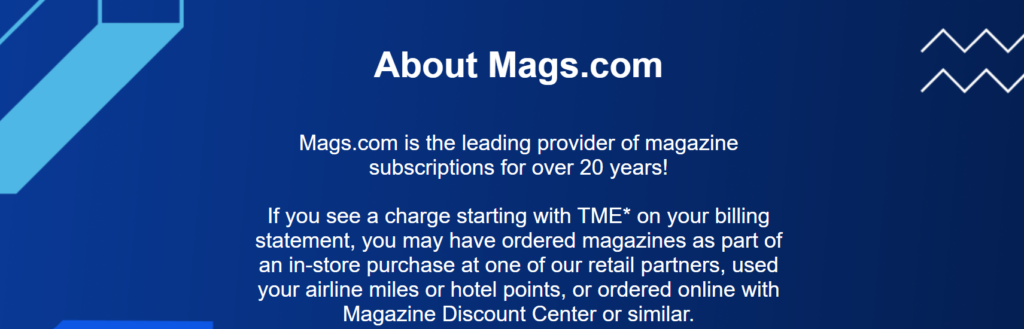
Still not done with the magazine but tired of the continuous billing? A few lighter alternatives are available prior to a full cancellation.
- Let the term expire without a renewal. Disabling auto-renewal means you will get your current magazines without committing to another term.
- Opt for a one-time purchase from another site, such as DiscountMags, if you want occasional magazines without a subscription.
- Request a partial refund if the issues haven’t been delivered and you are canceling mid-term.
What to Expect After Cancellation?
After you confirm the cancellation and remove auto-renew, no more payments will go through. You will still be charged for the current term because canceling stops future charges.
When it comes to refunds, they will most likely be processed through the same payment method you used. The process may take up to a billing cycle or two, so you will need to check your statements to confirm it has been processed.
Your account remains accessible even if all your subscriptions get canceled, and that ensures you do not have to start again when re-subscribing.
Also read, How To Cancel Resume Now Subscription?
Conclusion
And that is how you can cancel Mags.com subscription. Keep in mind that Synapse Group’s Magazine Customer Service, not Mags.com itself, handles all payments and other subscription options.
When you choose one of the above ways to unsubscribe, keep proof. Since subscriptions like that are usually acquired through promotions, having a confirmation on hand is the simplest solution for future billing issues.
FAQs
1- Why am I being charged for a magazine subscription I don’t remember signing up for?
Subscriptions from Many Mags.com often come through third-party promotions, such as T-Mobile Tuesdays. It is where a free or discounted trial can automatically convert into a paid subscription.
2- Can someone else cancel my subscription on my behalf?
No, most likely not. The account owner must submit the cancellation request, as verification depends on the registered email address or physical address.
3- Will canceling one magazine affect other subscriptions on the same account?
No, you manage and cancel each magazine subscription individually, even when several are tied to the same account.
4- What if I never receive a confirmation after submitting my cancellation?
Check your spam folder first, then follow up using a different method. If you originally used the contact form, call, since replies can occasionally be delayed.
5- Is it normal for my card to be updated automatically without my input?
Yes, in some cases issuers automatically share updated card details with existing merchants, which is why checking your statement after canceling is still worth the extra step.
