
Miss the 10th of the month by even a day, and Deutsche Bahn will quietly renew your subscription for another full 30 days at 63 euros. If you want to cancel Deutschland Ticket before that happens, you need to process it fast. It is actually quick, but only if you do it from the right app.
The Deutschland-Ticket subscription auto-renews every month unless you actively stop it, and you can only cancel Deutschland Ticket through the exact provider you bought it from before midnight on the 10th day of the month. Obviously, you need a full walkthrough, but before that, let’s break down what to check before you cancel.
Things to Know Before Cancellation
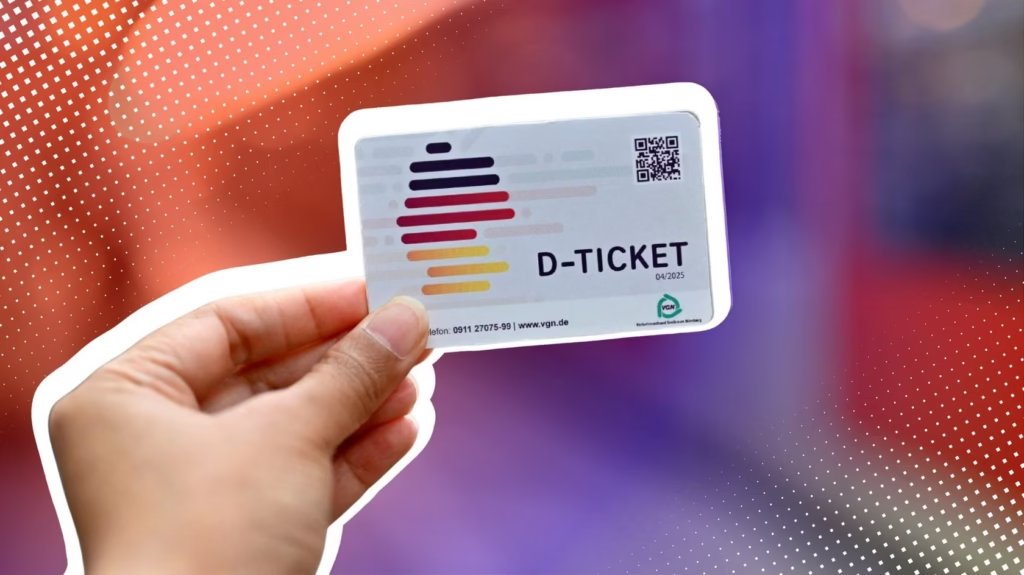
It’s important to know how German transit subscriptions work. Unlike single-ride tickets, the Deutschland-Ticket is a contract that renews automatically and has strict billing rules.
Two numbers matter here, and neither one is negotiable.
1- Current Price: The price of the Deutschlandticket across the country is €63 per month (as of July 2026). This is a fixed cost for all regional trains, buses, trams, and U-Bahn throughout Germany for the whole month. This ticket cannot be used on ICE or IC/EC.
2- The Strict 10th-Day Cancellation Cutoff: You have to send your cancellation request by 23:59 on the 10th of the month. If you miss it, even by an hour, you’ll be charged for the next month as well.
How to Cancel Deutschland Ticket?
There are different ways to cancel. You can cancel via the DB Navigator app, DB Subscription portal, and through regional providers. Here is how to cancel Deutschland tickets by following the methods below:
How to Cancel Deutschland Ticket via DB Navigator App (Deutsche Bahn)?
If you purchased your pass through Deutsche Bahn’s main app, terminating it takes less than two minutes on your smartphone. Here’s the process.
Step 01: Open the DB Navigator app and log into your personal customer profile.
Step 02: Tap Tickets, then tap on the Subscriptions (Abonnements) option.
Step 03: Choose Manage subscription and select Cancel subscription (Abo kündigen).
Step 04: Confirm the cancellation and save the confirmation that appears. You’ll want it as proof.
How to Cancel Deutschland Ticket via the DB Subscription Portal?
You can terminate your subscription directly through the official Deutsche Bahn web portal if you prefer managing your accounts on a desktop web browser. The Aboportal works just as well and takes about the same two minutes.
Step 01: Visit the Deutsche Bahn Subscription Portal. Sign in with your subscription credentials.
Step 02: Locate your Deutschlandticket entry under your Contract Overview.
Step 03: Click Kündigen (cancel). If asked, enter your subscription number.
Step 04: Submit and wait for the confirmation email to arrive in your inbox.
Step 05: Also, download the PDF verification receipt for your personal records.
How to Cancel Deutschland Ticket Through Regional Providers?
Millions of commuters buy their pass from local transport companies rather than Deutsche Bahn. If you bought your ticket through BVG in Berlin, HVV in Hamburg, MVG in Munich, or a similar regional operator, DB’s portal won’t see it at all. You have to go back to where you started.
- BVG (Berlin): Cancel through the BVG customer portal.
- HVV (Hamburg): Cancel via the HVV customer portal. You can also email their service hotline directly.
- MVG (Munich): Cancel through the MVG customer portal. You can also use the MVG More app.
- Mopla users: To cancel the account, you should go to Profile and then click on Manage Subscriptions and choose Cancel there. Please be aware that Mopla stopped providing mid-month cancellation after the first week of spring in 2026.
Why You Must Cancel Where You Bought?
It sounds almost too simple, but this is the single biggest source of frustration people report. Actually, your subscription gets listed and lives with your original seller. It does not have any records with “Deutsche Bahn” as a brand. You won’t see your ticket on the DB site/app you bought through BVG/HVV. So the cancellation has to happen at the source.
Why Cancellation Can Be Challenging?

None of this is deliberately hidden, but a few things do trip people up. The auto-renewal is silent. You won’t see any reminder email that warns you the 10th is approaching.
The language barrier and strict German administrative rules also add to the problem. Foreign visitors often have difficulty dealing with websites written only in German and strange subscription IDs. And please don’t add SEPA direct debit systems to that list!
Alternative Options
If you’re not ready to cancel outright, you do have a couple of softer options.
- Since there’s no long-term contract, simply not renewing after your cancellation takes effect ends things cleanly.
- If you’re worried about being charged after leaving Germany, update or revoke your SEPA direct debit mandate through your bank before your departure date, in addition to canceling.
- If you hate strict deadlines, flexible third-party services such as Mo.pla offer a smarter route. Mo.pla allows users to pause or cancel their Deutschlandticket up to 24 hours before the month ends.
What to Expect After Cancellation?
After your cancellation is confirmed, your ticket will still work until 23:59 on the last day of the month. You can keep using regional transport until then.
You’ll usually get a confirmation email within a day or two. Keep this email as proof in case you’re charged by mistake. There are no refunds for unused days in a month, so there’s no advantage to canceling in the middle of the month.
Conclusion
That is it! I hope you now know how to cancel D-Ticket. If there’s one thing to remember, it’s this: cancel Deutschland ticket subscriptions through the exact app or portal you originally signed up with, and always before the 10th. If you miss that date, you’ll be paying for a month you didn’t plan on. So, set a phone reminder for the 9th, and you’ll never get caught out again.
FAQs
1- Can I get a partial refund if I cancel my Deutschlandticket halfway through the month?
No, there are no prorated refunds or partial reimbursements. Even if you cancel on the 2nd day of the month, your ticket remains active and non-refundable through the last calendar day.
2- What happens to my Deutschlandticket subscription if I leave Germany and close my SEPA bank account?
Closing your bank account does not cancel your contract. Deutsche Bahn will send unpaid debt notices to collection agencies. You must formally submit a cancellation request before closing your EU account.
3- How do I cancel a Deutschlandticket Jobticket provided by my employer?
Jobtickets are typically managed through your company’s HR system or corporate mobility manager (such as NAVIT). You must request cancellation through your employer rather than the standard DB consumer app.
4- What should I do if I lose my physical chip card before canceling?
You can still cancel online using your subscription contract number found on your bank statement. If you need a replacement card before your subscription ends, contact your issuer’s customer portal.
5- Can I transfer my Deutschlandticket to someone else instead of canceling it?
No. The Deutschlandticket is strictly personal. It is non-transferable and tied to your official photo ID. It is illegal to transfer or sell your D-Ticket to another traveler under German transit regulations.
