
GQ (Gentlemen’s Quarterly) offers great style, culture, and lifestyle content. The subscription can be easy to start and sometimes harder to pause or stop. Whether your circumstances have changed, you prefer digital alternatives, or you are simply cutting back on magazine spending, canceling a GQ subscription is usually straightforward if you know where to look.
Cancelling a GQ subscription is usually quick via the right channel. The cancellation process is generally straightforward but depends on how and where you subscribed. Start with the online account or app store method matching your signup.
Things to Know Before Cancellation
Here are the important things you must know before initiating cancellation:
1. Cancellation Timing & Access: You can cancel anytime. Your subscription typically remains active until the end of your current billing period. You will continue to receive issues and access until then, with no further charges after that.
2. Refunds: GQ subscriptions are generally non-refundable for digital access. For print subscriptions, you may receive a pro-rated refund for unmailed issues, but processing can take time. Digital cancellations usually offer no refunds for the current term.
3. Automatic Renewal: Most subscriptions auto-renew. Check your renewal date and cancel a few days early to prevent the next charge.
4. Subscription Type & Purchase Source Matters: The cancelation process differs depending on whether you have print, digital, or a bundle, and where you subscribed. Third-party purchases must be canceled through that platform.
5. Temporary Pause Option: Instead of canceling, you can suspend your subscription for up to one year and resume later via customer service.
6. Regional Differences: In the UK and EU, digital subscriptions often start immediately, waiving the standard 14-day cooling-off period. Other regions may have specific rules for engagement periods or refunds.
How To Cancel GQ Subscription?
Log into your GQ/Condé Nast account first to note your subscription details, expiration date, and account number. This will speed up the process whether you cancel online, by phone, or via email.
How to Cancel GQ Subscription via Website?
This is the primary cancellation method. Here is how this method works. Follow the steps below:
Step 1: Launch the GQ website.
Step 2: Click “Sign In” and use the email associated with your subscription.
Step 3: Go to My Account or Manage Subscription.
Step 4: Locate the subscription details, billing, or auto-renewal section.
Step 5: Select “Cancel Subscription” or “Turn off Auto-Renewal.”
How to Cancel GQ Subscription If Subscribed via Apple App Store or iOS?
If you have subscribed via the Apple App Store or iOS, follow the steps below to cancel:
1. Open Settings on your iPhone or iPad.
2. Tap your name at the top.
3. Tap “Subscriptions.”
4. Select “GQ.”
5. Tap “Cancel Subscription” and confirm
Note: Deleting the app does not cancel the subscription.
How to Cancel GQ Subscription on Android or Google Play?
An Android user can cancel GQ subscription on Android or Google Play by following the steps below:
1. Open the Google Play Store app.
2. Tap your profile icon at the top right.
3. Go to “Payments & subscriptions” and tap “Subscriptions.”
4. Select GQ and tap “Cancel subscription.”
5. Follow the prompt to complete the cancellation.
How to Cancel GQ Subscription Over Phone?
To cancel your GQ subscription by phone, call customer service at 1-800-289-9330 (US) or 022-4893-3899 (India) during business hours. State your request to the agent, verify your account details, including name, address, and email, and request a cancellation confirmation number.
How to Cancel GQ Subscription Via Email?
Email is yet another easy and simple method to cancel your subscription. You just need to draft a detailed email and send it to GQcustserv@cdsfulfillment.com or help@gq.com. Include your full name, address, account number (from the magazine label), and email. You must request confirmation.
Alternative Options
Here are the alternative options you can opt for after cancelling your GQ subscription:
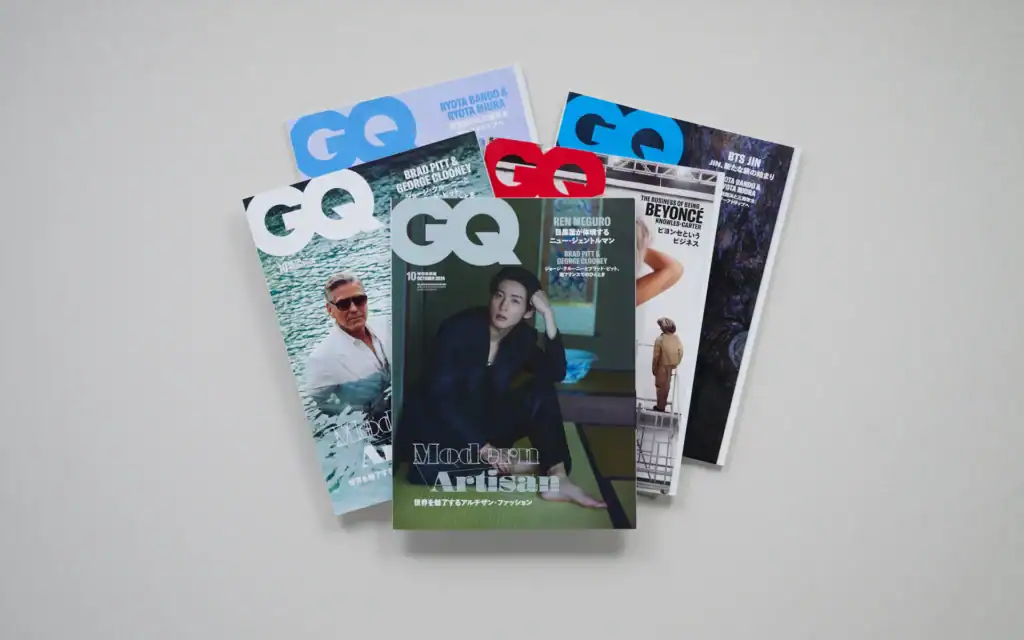
1. Other Premium Men’s Magazines: Several high-quality alternatives deliver style, culture, and lifestyle content similar to GQ. Esquire stands out for sharp journalism and sophisticated fashion. Men’s Health excels in fitness, grooming, and wellness. Maxim offers a fun, entertainment-focused take.
2. Digital-First Platforms & Apps: For modern, on-demand content, turn to digital-native platforms. Mr Porter offers premium fashion editorials and shoppable style guides. Hedonist and The Jackal deliver sharp men’s lifestyle stories.
What to Expect After Cancellation?
Here is what you usually expect after cancelling your GQ subscription:
1. Access Continues Until the End of Your Term: Your subscription does not stop immediately. You will keep full access to digital content and receive print issues.
2. No Automatic Renewal: The subscription will expire at the end of your term. You won’t be billed again unless you manually renew or re-subscribe.
3. Refunds:
- Digital-only: Generally no refunds.
- Print: You may receive a pro-rated refund for any unmailed issues, though it can take several weeks for a check or credit to appear.
4. Confirmation: You should receive an email confirmation shortly after canceling. Save this for your records. If you don’t get one, follow up via phone or email and request written proof.
Conclusion
So, it has come to the fore that cancelling your GQ subscription is a straightforward process when you follow the right steps tailored to your subscription type. There are several methods of subscription cancellation. In this article, I have provided you with a step-by-step guide on how to cancel GQ subscription. You can go through the article to know more
FAQs
1. Can I cancel my GQ subscription at any time?
Yes. You can cancel at any time during your subscription term. Your access (print and/or digital) continues until the end of the current billing period, after which it ends, and no further charges apply.
2. Will I get a refund if I cancel?
Generally, no. GQ subscriptions are non-refundable for the current term. However, print subscribers may receive a refund for unmailed issues depending on the original terms. Digital subscriptions do not offer prorated refunds.
3. What is the phone number for GQ customer service?
The main U.S. number is 1-800-289-9330 (typically available Monday–Friday, 8 AM–5 PM ET). Have your account number or mailing address ready to ensure a seamless cancellation process.
4. How do I find my account number?
Check the mailing label on your print magazine (above your name). It is usually a 10-digit code. You can also find it in confirmation emails or your online account.
5. Can I temporarily pause my GQ subscription instead of canceling?
Yes. Subscribers can often suspend delivery or access for up to one year and resume later. Contact customer service to arrange this.
