
Liquid I.V. offers subscription services that deliver their hydration multiplier packs on a recurring schedule. However, if you have to cancel your subscription for whatever reason and wonder how to cancel Liquid I.V. subscription and order. This article is meant for you. Read to know.
Cancelling your Liquid I.V. subscription or order is a straightforward, penalty-free process designed with customer control in mind. By logging into your account, you can easily cancel, pause, or modify your subscription, and you will typically retain benefits through the end of your current paid term while stopping future charges.
Things to Know Before Canceling
Here are the key things to know before canceling your Liquid I.V. subscription, order, or membership. This helps you avoid surprises and consider alternatives.
1. Timing and Billing Cycle: Subscriptions often renew automatically. Cancelling stops future charges but lets you complete the current paid period. You will keep access to benefits until the end of the current term. However, some older terms require cancelation requests by the 1st of the month to take effect that month.
2. Pause vs. Cancel: Pause is often a better temporary option. It holds your subscription without canceling it permanently. You can resume later and avoid resetting everything. Canceling is permanent for that subscription.
3. Impact on Membership: There is often a separate Membership & Loyalty Program alongside subscriptions. Cancelling a subscription doesn’t necessarily cancel your membership and vice versa. Check your account for both.
4. Refunds and Orders in Progress: No cancellation fees are typically charged. You may be able to cancel recent or unshipped orders via your account or customer service, but once shipped, it shifts to their return policy.
How To Cancel Liquid I.V. Subscription And Order?
There are different ways to cancel Liquid I.V. subscription and orders. Here is how it works:
- After cancellation, you maintain full access to your account for one-time purchases or future re-subscription whenever needed.
How To Cancel Liquid I.V. Subscription And Order Online Via Website?
Follow the steps below to cancel your Liquid I.V. subscription and order online via the website:
Step 1. Launch the Liquid I.V. website.
Step 2. Log in to your account.
Step 3. Click on “Subscriptions” in the navigation bar. This page shows your active subscriptions, upcoming orders, and previously cancelled ones.
Step 4. Under Upcoming Orders, click “More Options” on the right-hand side of the relevant subscription.
Step 5. Select “Cancel Subscription” from the drop-down menu.
Step 6. A pop-up appears with options like skipping the next order, swapping products, pausing, or cancelling. Choose Cancel Subscription.
Step 7. Provide feedback on why you are cancelling. This helps them improve.
Step 8. Check the box for your reason and click “Cancel Subscription” again to confirm.
How To Cancel Liquid I.V. Subscription Over the Phone?
This is the direct method to cancel Liquid I.V. subscription. This option is best suited for urgent order cancelations. You can call the customer care team on their official number at 855-386-4021. Tell them the reason for the cancelation. Provide them with all the necessary information that you are asked to submit.
After accessing all the details, the team will process the request and cancel Liquid I.V. Subscription within the specified time.
How To Cancel Liquid I.V. Subscription via Email?
Email is yet another method you can use to cancel Liquid I.V. This method takes longer time comparatively. However, the effectiveness of this method cannot be ignored either.
All you need to do is draft a detailed email and send it to info@liquid-iv.com. Make sure you include all the important information in your message. Be clear in stating that “You want to cancel your Liquid I.V. subscription.” The concerned team will review your request and initiate the process accordingly.
Alternative Option
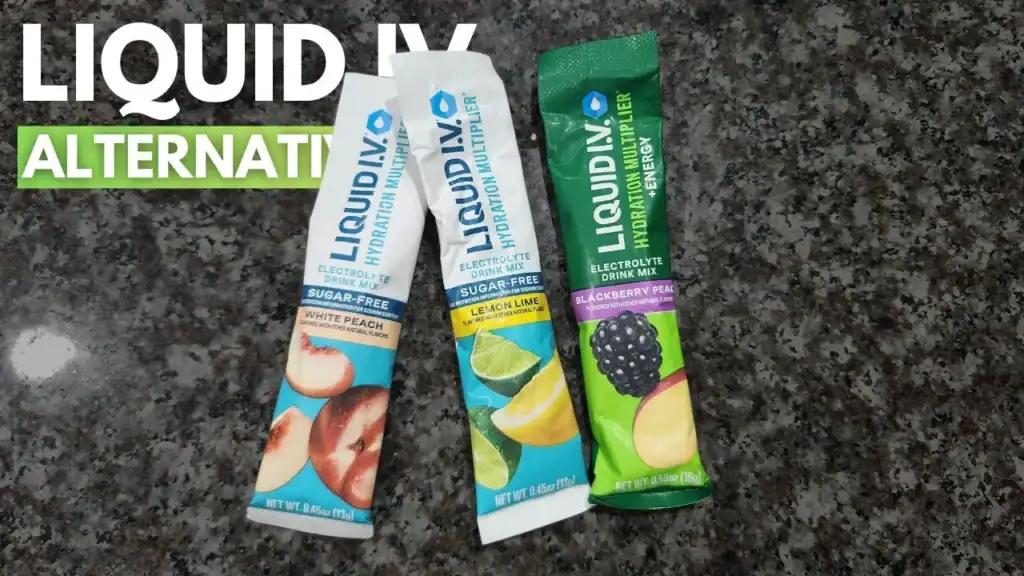
After canceling your Liquid I.V. subscription, you have several strong alternatives for hydration and electrolyte replenishment. Here are the alternative options you can try:
1. Ultima Replenisher: This is often rated as a top overall pick. This is a great alternative option to Liquid I.V. Ultima Replenisher is great for everyday use. It consists of zero sugar, clean ingredients, good flavors, and is affordable, with a full electrolyte profile.
2. Nuun Vitamins Electrolyte Tablets: These dissolvable tablets are less messy than some powders. These tablets offer added vitamins. Nuun Vitamins Electrolyte tablets are good for lighter hydration needs.
3. LMNT: Zero-sugar, high-sodium option makes it a preferred and popular choice for athletes, keto, or low-carb needs. It is a good alternative given the strong flavors and minimal ingredients it offers.
What to Expect After Canceling Liquid I.V. Subscription And Order?
After cancelling your Liquid I.V. subscription or order, here is what you can typically expect:
1. You will receive a cancellation confirmation email the same day or within hours. Save this for your records.
2. No further automatic charges for the cancelled subscription. Your account remains active, and you can still access order history, browse, or make one-time purchases.
3. If you cancelled after the cutoff, often 1-2 days before processing or shipping of your upcoming orders, the next order may still ship and be charged. Contact support immediately if you need to stop a pending shipment.
4. If you have a separate membership, it may continue until its term ends. Points, credits, or discounts typically remain usable until expiration.
Conclusion
In conclusion, the Liquid I.V. subscription cancelation process is designed to be simple and straightforward. The entire process is made hassle-free. There are different ways and methods to cancel the subscription, order, or membership. You are at liberty to choose the method convenient to you. This article covers everything you must know about Liquid I.V. subscription or order cancelation process. Read to know.
FAQs
1. How do I subscribe to Liquid I.V.?
Add your chosen products to the cart on liquid-iv.com, select the subscription option, choose your delivery frequency and customizations, then complete checkout. You’ll need an account to manage the subscription.
2. What discounts and perks do subscribers get?
Subscribers typically save around 30% on deliveries. You also get the convenience of auto-ship, flavor customization, and easy management. Some perks may integrate with the loyalty and membership program.
3. What happens after I cancel?
You’ll receive a confirmation email. Future charges stop, but you keep any shipments already paid for or shipped. Membership benefits (if separate) continue until the end of the current term. You can resubscribe later.
4. How do I manage or change my subscription?
In your account dashboard, you can update flavors, frequency, address, payment method, skip a shipment, or adjust quantities. Changes should be made before the processing cutoff.
5. Do subscriptions earn loyalty points?
This varies. Some subscriptions may earn fewer or different points than one-time purchases.
