
Ocean Blue Car Wash’s Unlimited Wash Club offers drivers across Northern Arizona the convenience of unlimited washes for one low monthly fee. However, circumstances change, and you no longer need frequent washes, so you might want to cancel your membership. The question arises: how to cancel Ocean Blue Car Wash membership? This article answers your question. Stay tuned to know.
Ocean Blue Car Wash aims for convenient, no-contract memberships, and most customers can handle cancellations online in a few minutes. If you are within a few days of your billing date, you may want to wait until after the next charge to avoid paying for an extra month.
Things to Know Before Cancellation
Here are the important things you must know before cancelling your Ocean Blue Car Wash membership:
1. 7-Day Notice Required: Submit your cancellation request 7 days before your next billing date for it to take effect. If you miss this window, you will be charged for another full month.
2. No Refunds for Partial Months: You keep access through the end of your current paid cycle, but there’s no prorated refund.
3. Billing Cycle: Charges hit on the same day of the month you originally signed up. Check your statements or confirmation email for your exact date.
4. No Contracts: It is month-to-month, so you can cancel anytime
How To Cancel Ocean Blue Car Wash Membership?
There are multiple ways of cancellation supported by Ocean Blue Car Wash. You are at liberty to choose the method convenient to you:
How to Cancel Ocean Blue Car Wash Membership Online?
This is the official and most reliable method. Here is how it works:
Step 1: Visit the Ocean Blue Car Wash website.
Step 2: Locate the cancellation or membership management section. You may see options like “Cancel Membership” in a dropdown.
Step 3: Enter required information:
Full name
Phone number or email on the account
Unlimited tag or Fast Pass number, 11-digit code on the lower left of your windshield.
License plate and state (if prompted)
Reason for cancellation (optional but helpful)
Step 4: Submit the “Form.”
Step 5: Save or screenshot the confirmation page and watch for an email.
How to Cancel Ocean Blue Car Wash Membership by Phone?
Ocean Blue Car Wash allows you to cancel your membership over the phone. You can call (928) 460-5048 and ask for assistance to cancel the membership. One of the executives from the team will help you through the process of cancellation.
Follow all the necessary steps carefully and provide any information required in order to complete the process. After all the steps are completed, make sure you no longer have any commitments with the Ocean Blue Car Wash.
How to Cancel Ocean Blue Car Wash Membership via Email?
You can cancel your Ocean Blue Car Wash membership via email. You simply need to draft a detailed email and send it to info@oceanbluecarwash.com. Write down:
- Full name, phone, email, tag number, license plate
- Reason (optional)
- Request confirmation and final billing details
Note: Phone or email may direct you back to the online form. Use them for follow-up, not as the primary method.
How to Cancel Ocean Blue Car Wash Membership In Person at a Location?
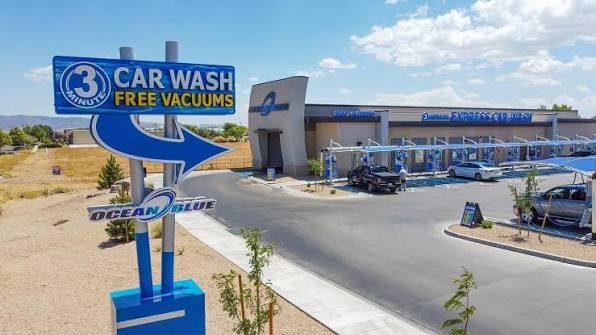
You can cancel your Blue Car Wash membership in person at a location. Visit any Ocean Blue Car Wash location and inform staff you want to cancel your “Unlimited Membership.” Provide your tag number, vehicle details, and account info. They can process it or assist with the online form.
Note: Phone or verbal requests alone may not suffice, official policy emphasizes online submission for records.
Alternative Options
Here are the alternative options you can opt for:
1. Subscription Car Wash Plans: Switch to a competitor with similar convenience. Most are month-to-month with no long contracts. Take 5 Car Wash or similar if available in your driving radius.
2. Non-Subscription Options: You can opt for pay-per-visit or multi-packs. Buy individual washes or 5-10 pack vouchers at remaining car washes. This is often cheaper per wash if you go infrequently.
What to Expect After Cancelling Ocean Blue Car Wash Membership
Here is what to expect after cancelling your membership:
1. Membership stays active until your next billing date (you can still wash). You can avail of the services till the end of the current billing cycle.
2. No partial refunds. The company has no refund policy, so you should not expect any sort of refund.
3. You will receive an email confirmation. This will confirm that your membership stands cancelled.
4. If you change your mind, reactivate in person at a location. You can reactivate it at any given point in time.
5. Update your payment method or contact info promptly to avoid issues.
Conclusion
In conclusion, cancelling your Ocean Blue Car Wash membership is a simple process when you follow the official channels and timing guidelines. By submitting your request online at least 7 days before your next billing date or visiting a location in person, you can ensure a smooth transition without unexpected charges. Go through the article to know in detail.
FAQs
1. Do I need to give notice before canceling?
You must allow a minimum of 7 day’s prior notice before your next billing date. If you submit later, you will be charged for the next full month. There are no partial refunds.
2. Will I get a refund if I cancel mid-month?
No. Your membership stays active until the end of your current billing cycle, and no prorated refunds are issued.
3. How long until my membership is actually canceled?
Once processed correctly, it ends on your next billing date. You can continue washing until then.
4. Can I transfer my membership to a new vehicle?
Yes, you can, but this must be done in person at a wash location. Do not cancel, simply ask staff to transfer the pass.
5. What happens if my credit card expires or I change it?
The system may automatically deactivate the membership if billing fails. Update your card details online or contact them to avoid interruption.
