
For movie lovers, Regal Unlimited has been a game changer. It offers them the freedom to watch as many films as they want at participating Regal theaters. For this, you are charged a flat monthly or prepaid fee. However, if circumstances compel you to cancel your subscription, the question arises: how to cancel Regal Unlimited. In this article, I will walk you through the exact steps to cancel. Stay tuned to know more.
Canceling Regal Unlimited is straightforward, but the effects depend on your plan type monthly vs. prepaid and where you are in your initial commitment term. It’s typically 3 months or 1 year.
Things to Know Before Canceling

Here is what you must know before canceling Regal Unlimited:
1. Initial Term Commitment: Subscriptions typically have a non-cancelable initial term of 3 months, 6 months, or 1 year, depending on your plan. You remain responsible for fees during this period unless specific exceptions apply.
2. Auto-Renewal: After the initial term, monthly plans renew automatically month-to-month. Prepaid plans shift to month-to-month unless you choose another prepaid option.
3. Refunds: Generally limited. No refunds are available except in cases expressly stated in the Rules. Cancellation usually takes effect after the current commitment period.
How to Cancel Regal Unlimited?
Regal Unlimited supports different methods of subscription cancellation. You are at liberty to opt for the method you want. You can follow any of the following methods:
How to Cancel Regal Unlimited Online via App or Website
This is the fastest and most reliable self-service option that you can use to cancel Regal Unlimited online. Follow the steps below:
Step 1. Download or open the Regal App, or you can visit the Regal Unlimited website. The app is available for both Android and iOS users.
Step 2. “Sign in” to your Regal Crown Club account.
Step 3. Navigate to your “Unlimited Subscription” or “Account Management ” section.
Step 4. Look for “Manage Subscription,” “Subscription Settings,” or a similar option.
Step 5. Follow the on-screen instructions to “Cancel Subscription.”
Step 6. Confirm the cancellation and note any end date provided.
Tip: You should receive a confirmation email. Save screenshots or the email for your records.
How to Cancel Regal Unlimited via Email?
Email is yet another method you can use to cancel your Regal Unlimited subscription. You have to compose a detailed email stating you want to cancel your subscription and send it to customersupport@regalcinemas.com.
Make sure you provide all the necessary details to help the customer support team search for your subscription. This may also include your Cancel Regal Unlimited email address or username linked to your account.
How to Cancel Regal Unlimited via Social Media Platforms?
Regal Unlimited has social media accounts on Facebook, X (Twitter), and Instagram. You can message Regal privately on Facebook, X/Twitter, or Instagram. Include your account info. The social media team will review your request and expedite your cancellation request.
Alternative Options
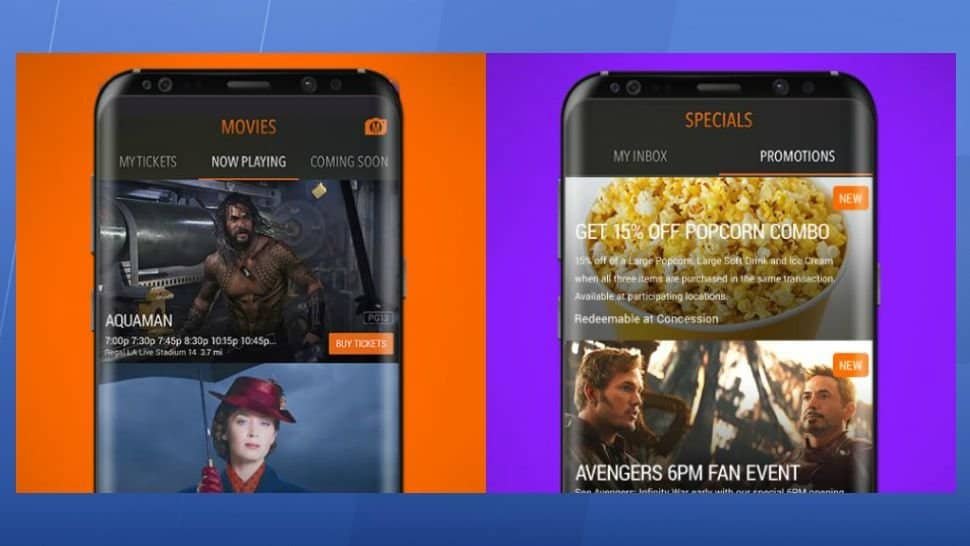
After canceling Regal Unlimited, you have several strong alternatives depending on how often you go to the movies, your location, budget, and preferences. Here are the alternative options you can opt for:
1. Other Theater Subscription Programs: There are several direct replacements if you enjoy seeing movies in theaters regularly. AMC Stubs A-List is the best for Frequent Theater-Goers in AMC areas, Cinemark Movie Club is budget-friendly for moderate movie-goers, and MoviePass is the most flexible multi-theater option.
2. Stick with Regal: You do not have to leave the Regal Unlimited entirely. Keep your account active after cancellation. Earn credits on purchases, redeem for tickets and snacks, and get occasional promotions.
3. Streaming Services: This is the best alternative for home viewing. If theater trips become less frequent, streaming offers excellent value and convenience. Rotate services or use annual plans during sales to minimize costs.
What to Expect After Canceling Regal Unlimited?
Here is what happens when you request cancellation:
1. Access During Commitment Period: If you are still in the initial non-cancelable term, your subscription does not end immediately. You remain responsible for all fees until the term concludes, and you can continue using your Subscription Pass during that time.
2. Subscription Pass Deactivates: Your digital Unlimited card and pass in the Regal app disappear or lose functionality. You can no longer reserve or obtain tickets using the subscription.
3. Regal Crown Club Account: Your Regal Crown Club account remains active. Canceling Unlimited does not cancel your free Regal Crown Club account. You keep any earned credits, rewards, and profile information.
4. Refunds Are Limited: Generally, no refunds for partial months or unused time, except in specific cases outlined in the Regal Unlimited Rules. Expect billing to stop after the effective cancellation date. Monitor your statements.
Conclusion
In conclusion, canceling your Regal Unlimited subscription is simple, and there are multiple ways to cancel it. You can choose the method convenient to you. Cancelling Regal Unlimited marks the end of unlimited theater access, but it opens the door to a more personalized and potentially cost-effective way of enjoying movies. This article covers all the questions related to this. Read to know more about it.
FAQs
1. How do I cancel Regal Unlimited online?
Sign in to your Regal Crown Club account on the Regal app or on the website. Navigate to your subscription settings and follow the on-screen cancellation instructions. This is the fastest method.
2. What if I can’t find the cancel option in the app?
Try logging in via the desktop website, updating the app, or clearing your cache. If it’s still unavailable, contact Customer Relations through the official contact form or by email.
3. Will I get a refund after canceling?
Refunds are limited and only available in specific situations outlined in the Regal Unlimited Rules. Most cancellations do not result in partial refunds for the current term or month
4. How long until my subscription actually ends?
It depends on your plan and timing. During the initial term, access continues until the term ends. For month-to-month subscriptions, it typically ends at the conclusion of the paid billing period. You will receive confirmation with the exact end date.
5. Does canceling Unlimited cancel my Crown Club account?
No. Your free Regal Crown Club account remains active. You keep any earned credits and can continue using standard loyalty benefits.
