
A charge labeled “SegPay” on your bank statement rarely coincides with the name of whatever you actually signed up for, and that mismatch is exactly why so many people end up here searching for how to cancel SegPay subscription. Once you understand what SegPay actually is, the rest of the process becomes far less confusing.
SegPay itself is a payment processor, not the service you have subscribed to. It bills thousands of websites around the world for services such as streaming media, dating sites, and other online content. Hence, the transaction on your credit card does not show the merchant’s name.
To cancel SegPay subscription, you will be required to use the consumer self-service portal, phone, live chat, and/or email, and you will need at least two out of three identifiers: a) credit card number, b) sign-up email, and c) purchase ID. And with that set aside, here are a few things you should know before proceeding.
Things to Know Before Cancellation

The SegPay procedure is quite standardized for all methods. This means that if you put in a little effort to prepare yourself now, it will pay off later.
- Identifying information will be needed, not a username and password. The SegPay consumer portal uses your credit card information, email, or purchase ID without a traditional login system.
- The purchase ID plays a bigger role than most people think. The purchase ID is included in your initial confirmation email and is helpful for almost all other purposes.
- Refund policies are determined by the merchant, not SegPay. While SegPay does the transaction processing, the website determines the refund policy.
- A retention offer may appear during online cancellation. Some merchants set up a discounted alternative offer that pops up before your cancellation is finalized.
How to Cancel SegPay Subscription?
Cancelling SegPay subscription is straightforward and can be done in different ways. You can cancel through the Self-Service Portal, via phone, live chat, email, or mail. Here is how to cancel SegPay subscription by following the methods below:
How to Cancel SegPay Subscription Through the Self-Service Portal?
Cancellations can be made through the consumer self-service portal. It is the primary channel through which SegPay handles cancellations, independent of any other form of communication.
Step 01: Go to the SegPay Consumer Portal.
Step 02: Look up your purchase using two of the following three details: Your Card Number, Your Sign-up email, or Your Purchase ID.
Step 03: Locate the subscription you want to end and select the Cancel Membership option.
Step 04: If prompted with a retention or discount offer, choose No Thanks to proceed with cancellation.
Step 05: Confirm the cancellation and save the confirmation screen that appears.
How to Cancel SegPay Subscription via Phone?
Calling remains the fastest way if you would rather talk through the details directly with a representative.
Step 01: Call 1.866.450.4000 if you are in the U.S., or +1.954.414.1610 for international numbers.
Step 02: Provide your purchase ID, sign-up email, or card details so the representative can locate your account.
Step 03: State clearly that you want to cancel the subscription and stop future billing.
Step 04: Ask for a confirmation number or email before ending the call.
How to Cancel SegPay Subscription via Live Chat?
Chat support runs through the same portal as the self-service lookup, and it works well if you would rather type your request than call.
Step 01: Visit SegPay’s Customer Portal and click the Chat With Us icon in the bottom right corner.
Step 02: Provide your purchase ID, email, or card details when the representative asks for verification.
Step 03: State your request to cancel the subscription clearly and directly.
Step 04: Request written confirmation before closing the chat window.
How to Cancel SegPay Subscription via Email or Mail?
Email and mail are equally good options and can be very helpful if you want documentation from the beginning of the process.
If sending by email, please send the cancellation request, along with the purchase ID and the sign-up email ID, to help@segpay.com. You should also provide the first six and last four digits of your card.
If sending the details by mail, please send all the mentioned information as in the email option to SegPay’s new mailing address: 3600 FAU Blvd., Suite 202, Boca Raton, FL 33431.
Why Cancellation Can Be Challenging?
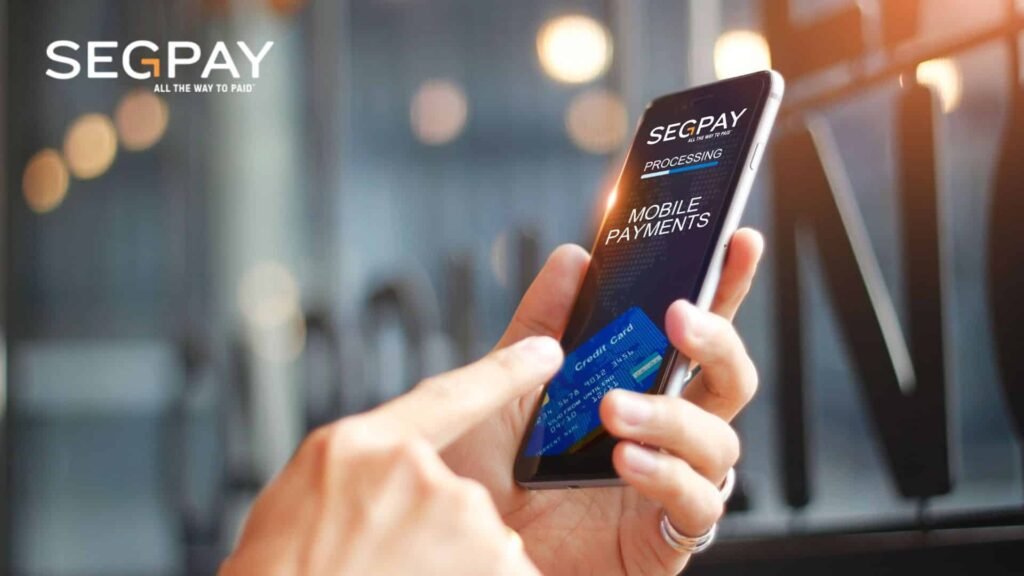
Perhaps the main reason for the confusion is that one is not aware of SegPay by the time the charges arrive. Most customers do not associate their website subscriptions with this payment processor because it processes payments for various merchants.
Another source of confusion is retention offers. When someone cancels a subscription online, merchants can use a pop-up window to show a special offer that allows them to subscribe at a lower price. This makes it possible to accept such an offer without realizing what one is doing.
Finally, the lack of a refund policy is frustrating because the refund process varies by website. SegPay does not establish its own refund procedure since it processes payments for merchants.
Alternative Options
Canceling via SegPay is not your only option. The following are some choices that may be made depending on the circumstances.
- Contact the original website directly. As SegPay merely facilitates the transaction, it is also possible to cancel the subscription via the merchant’s account settings.
- Request that the purchase email be resent. If the purchase email is misplaced, you may request that it be resent via the self-service portal once your identity is verified.
- Challenge the charge with your bank. This would be an appropriate measure to take if you have tried to cancel the subscription. But the merchant continues to ignore your efforts.
What to Expect After Cancellation?
After the cancellation is complete, you shouldn’t receive any more bills for this particular membership. Access to the website or service will be terminated in accordance with the merchant’s policy. It could mean either immediate termination or access until the end of the billing cycle.
You are not entitled to a refund because SegPay’s terms of service state that membership charges are non-refundable once billed. This would apply only if the merchant has a different policy than the one used by SegPay.
Keep your receipt number or email in any case. It might come in handy if your account is re-billed even when you think it has been closed.
Conclusion
That covers everything about how to cancel SegPay subscription. This is possible via the self-service site, phone, chat, email, and postal mail. Since the SegPay gateway processes payments only for the underlying website, your purchase ID will speed up the process.
Whichever channel you use to communicate, be sure to keep the confirmation and track the next billing cycle. If the payment was made despite the cancellation confirmation, your confirmation will serve as the best proof.
FAQs
1- Is SegPay a legitimate company or something I should be worried about?
SegPay is a registered, established payment processor working with major banks and card networks. Seeing their name on a statement typically means a merchant you subscribed to uses them for billing, not that anything fraudulent occurred.
2- Can I have my personal information removed from SegPay’s records entirely?
You can request removal, though SegPay is legally required to retain certain transaction data for a set period under card industry regulations, and requesting full removal also means you won’t be able to make new purchases through them.
3- What happens if I want to subscribe again after being blocked or restricted?
Returns are usually possible unless you have a prior fraud claim, chargeback, or excessive refund history. SegPay typically requires identity verification, including a photo ID and partial card details, before lifting any restrictions.
4- What should I do if my account login doesn’t work during cancellation?
Since SegPay’s consumer portal doesn’t use a traditional login, try the “forgot password” option on the authentic merchant’s website first. If that doesn’t resolve it, contact SegPay directly with your card or purchase details.
5- How can I tell for certain that a charge on my statement came from SegPay?
Check your statement descriptor closely. Charges processed through SegPay often include their name or a related billing identifier alongside the transaction, distinct from the merchant’s actual brand name.
